


Written by: Bryan Grobstein, Vice President, Global Revenue, AnyRoad | Last updated: October 17, 2026
Key Takeaways
- Experiential marketing platform integration capabilities are the native connectors, APIs, webhooks, and data-mapping functions that move attendee records from an activation into a CRM or marketing automation platform without manual exports.
- The gap between captured and synced data is where most experiential programs lose value: records strand in spreadsheets, and custom interaction data never maps to CRM objects.
- The integration capability stack includes badge scanning, interactive kiosks, digital workflows, AI enrichment, CRM connectors, bi-directional data flow, APIs and webhooks, and data hygiene and consent management.
- Custom interaction data field mapping is the integration capability most vendor pages skip, yet it is essential for mapping fields like product sampled, dwell time, NPS, and purchase intent to CRM objects.
- AnyRoad provides configurable first-party data capture, FullView attendee-level capture, and documented integrations with Salesforce, HubSpot, Klaviyo, and other platforms via native connectors, API, and webhooks.
The Problem: The Gap Between Captured And Synced
The gap between “we captured attendee data” and “the record is in the CRM, correctly mapped, deduplicated, consented, and attributable” is where most experiential programs lose value. Records strand in spreadsheets because no automated path moves them. When they do move, custom interaction data such as product sampled, dwell time, NPS, and purchase intent never maps to a CRM object, so the richest data is lost. Returning attendees become duplicate contacts because identity resolution is missing. Consent flags get reconstructed after the fact rather than captured at the moment of collection. And sync failures generate no user-visible error, so a record that fails to sync simply does not appear in the CRM.
Integration breadth does not eliminate the need for field governance. A connector that is “included” in a vendor’s base plan may cover only connector access. It may not include field mapping, custom objects, monitoring, or retries. The distinction matters operationally and commercially.
The attribution stakes are concrete: if only registration data reaches the CRM, sales cannot distinguish a prospect who registered but never attended from one who attended, sampled, and met the team. Every downstream decision such as lead routing, nurture enrollment, and pipeline attribution degrades from that point forward.
Closing that gap requires a specific set of integration capabilities working together. The capabilities that decide whether attendee data actually reaches your CRM are described in the next section.
The Solution: The Integration Capability Stack For Capturing Attendee Data
The capabilities that decide whether attendee data actually reaches your CRM are:
- Badge, QR, and card scanning, which identifies who the attendee is at the point of entry.
- Interactive kiosks and touchscreens, which record what the attendee explored before a human engaged.
- Digital workflows and forms, which capture waivers, check-ins, registration, and live polls inside the guest journey.
- AI enrichment, which parses open-text and voice input and appends structured detail to the record.
- CRM and marketing automation connectors, which provide native, out-of-the-box sync to Salesforce, HubSpot, Marketo, Eloqua, and Klaviyo.
- Bi-directional data flow, which pushes attendee behavior into the CRM and pulls existing customer data back to personalize the live experience.
- APIs and webhooks, which support custom pipelines for enterprise architectures the native connector does not cover.
- Data hygiene and consent, which handle validation, deduplication, opt-in management, and regional privacy requirements.
For capture-method fundamentals such as QR scanning mechanics, kiosk configuration, and first-party data strategy, see AnyRoad’s dedicated posts on customizable attendee data capture and how to capture first-party data at brand activations. This article focuses on the integration layer and data flow.

AnyRoad is built around configurable first-party data capture: custom questions before, during, and after an experience; FullView attendee-level capture for every person in a group, not just the booker; and integrated ID scanning for age verification. That captured data then needs a path out, so the platform connects to CRM, CDP, email and marketing automation, POS, ERP, BI, and workflow tools via native integrations, API, webhooks (direct or via Zapier), or manual file transfer. Documented integrations include Salesforce, HubSpot, Klaviyo, Zapier, Workato, SAP, NetSuite, Shopify, Stripe, Square, Toast, and Adyen, with a dedicated developer portal for enterprise API work.

In festival activations run by agency POPLIFE for an artisanal mezcal brand, AnyRoad captured 45–50% more consumer data than competitors, with 42% of attendees opting into future marketing communications. This result reflects both the platform’s capture design and its offline reliability.
See how AnyRoad connects to your CRM
How Attendee Data Actually Flows From An Activation To Your CRM
Capturing data is only half the work; that data must also flow reliably into your CRM. The data flow from an activation to a CRM follows a predictable path, with specific failure points at each hop:
- Activation → experiential marketing platform: Attendee data is captured via badge scan, form, kiosk, or QR code. Failure point: incomplete capture when only the group booker’s record is collected, not every attendee.
- Platform → integration layer: Data moves via native connector, webhook, API, or middleware such as Zapier or Workato. Failure point: field mapping gaps when standard contact fields sync but custom interaction fields do not.
- Integration layer → CRM: Records land in Salesforce, HubSpot, or Marketo. Failure point: duplicate creation, missing consent flags, or silent sync failure.
- CRM → marketing automation and analytics: Records enter nurture flows, campaign attribution, and reporting. Failure point: attribution to a generic event rather than a specific activation, location, and campaign.
The choice of integration path determines sync cadence and failure behavior. Marketo’s native Salesforce integration runs a bidirectional continuous sync every five minutes after an initial full sync, with no third-party connector required. A webhook fires an HTTP POST on an event and is only as reliable as the endpoint and the retry logic behind it.
Middleware fits specific use cases. Zapier is suited to simple, low-volume flows between popular SaaS tools and requires no developer, while Workato and Boomi handle complex enterprise multi-system workflows. The tradeoff is that iPaaS flows typically poll on 5–15 minute cycles and consume CRM API allocation, so high-volume or real-time requirements can exhaust a daily API limit.
AnyRoad’s architecture embeds configurable capture directly on the brand’s website, flows data to the brand’s CRM or CDP, and supports webhooks or API for enterprise integrations via a dedicated developer portal. For real-time capture mechanics, see AnyRoad’s real-time attendee data capture buyer’s guide.
The Gap No Ranking Page Covers: Custom Interaction Data And CRM Field Mapping
Custom interaction data field mapping is the integration capability most vendor pages skip. Standard connectors move name, email, and registration status. They do not automatically move “product sampled,” “activation location,” “dwell time,” “NPS score,” or “purchase intent,” because those fields do not exist in the CRM’s default object model.
Consider a concrete example. A “product sampled” field captured at a tasting must map to a CRM custom object or contact property that is tied to a campaign ID for the activation and location. Without that mapping, the record is attributable to a generic event rather than to a specific activation, location, and campaign. The sales team then cannot act on it differently than on a cold inbound lead.

Custom object mapping and API access can require higher CRM editions — Salesforce Enterprise Edition at $175 per user per month is the minimum for custom object sync with Marketo. Confirming the object model before the demo is a prerequisite, not a follow-up question.
AnyRoad’s configurable data capture lets brands define custom questions at multiple touchpoints throughout the guest journey. Atlas Insights measures brand affinity, NPS, and purchase intent, filterable by experience, location, and demographics. PinPoint’s AI analysis of open-text feedback turns qualitative attendee input into structured themes that can be mapped downstream into CRM fields and campaign structures. This conversion turns a survey response into a data point that sales can act on.

Map your custom fields in a live demo
Identity Resolution, Duplicate Handling, And Consent
Identity resolution matches a returning attendee to an existing CRM record rather than creating a new one. The common failure is clear: an attendee who registers with a personal email but exists in the CRM under a corporate email becomes a duplicate contact, and attendance gets attributed to a new lead instead of an existing opportunity.
Middleware recipes commonly match on email address and create or update accordingly. CRM-native duplicate and matching rules catch duplicates at record creation, and organizations combining Salesforce duplicate rules, form-builder upsert, and middleware find-before-create steps have cut duplicate lead rates by over 70%. Deduplication must preserve consent history: a deduplication job must never discard an orphaned opt-out because the losing record looks incomplete, and the surviving record should inherit the most restrictive applicable status.
Consent should be captured at the same moment as the attendee record. For in-person event data capture, each purpose-specific consent status should be mapped independently into CRM and marketing-automation fields so that sale, sharing, and sensitive-data permissions can be honored and withdrawn separately. Under CCPA/CPRA, a notice at collection must be delivered at or before the point of collection, stating the categories of personal information collected, the purposes, whether the information is sold or shared, and the retention period.
AnyRoad’s configurable marketing opt-ins and legal compliance controls are part of the capture layer, so consent is collected at the activation and not appended afterward. For a detailed treatment of security and data governance, see AnyRoad’s secure attendee data capture guide.
Offline Behavior, Sync Timing, And Integration Costs
Offline behavior is the capability gap most vendor pages omit entirely. A genuine offline mode requires the attendee list to be cached while a connection is still available, during setup rather than mid-crisis, so enabling offline mode after connectivity is already lost can leave devices without current attendee data. During an outage, offline devices cannot communicate with one another, so the same ticket can be scanned on two offline devices and no duplicate warning appears until both devices reconnect. That duplicate-admission window is an architectural reality that teams must understand before event day.
AnyRoad’s Front Desk app is designed for offline reliability, with local caching and queued sync that keep check-in and data capture working when connectivity drops. For a full treatment of offline mechanics, see AnyRoad’s offline attendee data capture guide.
Sync timing also affects data quality and operations. Real-time behavior inside the event platform is distinct from real-time propagation to external systems such as Salesforce, HubSpot, and Marketo. As noted earlier, sync failures are often silent, so ask vendors how they surface errors and what retry logic they provide. Every integration should include error logging, retry logic, alerting, and a sync-health monitoring dashboard.
Integration cost can sit on the CRM side as well as the event platform side. Salesforce lists additional API calls at $25 per month for 10,000 daily calls, Platform Events at $500 per month for 100,000 daily events, and Salesforce Connect at $4,000 per connection per month. An event platform’s “Salesforce integration included” claim does not eliminate the need to verify three things: the customer’s Salesforce edition, API entitlement, and overage exposure. EventMobi lists CRM integrations from approximately $1,000 each, with custom synchronization priced on request. This model illustrates how integration costs accumulate beyond the base subscription.
AnyRoad’s Front Desk app handles on-site check-in, payments, and waivers as the on-site layer that keeps capture working at the activation regardless of connectivity. Integration paths include webhooks, API, and manual file transfer. Buyers should confirm which path their CRM requires and which party pays for API capacity and overage.
Demo Question Bank And Integration Cost Checklist For Experiential Marketing Platform Integration Capabilities
This section is designed to be forwarded to your CRM admin before a vendor demo. AnyRoad’s documented integration set and configurable capture make each of these questions answerable with specific details rather than vague assurances.
Questions to ask in a vendor demo of experiential marketing platform integration capabilities:
- How does the platform behave when connectivity drops at an activation, including local capture, queued sync, and conflict resolution on reconnect?
- How does a custom field like “product sampled” map to your CRM object model, and does that require a custom object or a contact property?
- How are returning attendees matched to existing records, and how are duplicates prevented?
- Is sync real-time, batch, or both, and does real-time apply to external systems or only inside the platform?
- How is consent captured at the point of collection and passed to the CRM, and can purpose-specific statuses be honored separately?
- Can records be attributed to activation, location, and campaign?
- Are API access, webhooks, and integration fees included in the quote, and which side pays for API capacity and overage?
- What is the implementation timeline for a new connector, and who owns error handling and sync monitoring?
Cost checklist line items to request itemized in any quote:
- Standard connector licensing
- Implementation and onboarding
- Custom field mapping and synchronization
- Webhook or event-stream usage fees
- Partner or professional services
- Event-level or per-activation charges
- CRM-side API capacity, platform events, and external connection costs
- Sandbox access and overage exposure
- Staff time for any manual export step that remains in the workflow
Get your integration questions answered
Frequently Asked Questions
What Are Experiential Marketing Platform Integration Capabilities?
Experiential marketing platform integration capabilities are the technical mechanisms such as native CRM connectors, APIs, webhooks, and field-mapping configurations that move attendee data collected at a live activation into downstream systems such as Salesforce, HubSpot, Marketo, or a CDP. They determine whether custom interaction data such as product sampled, NPS, and purchase intent reaches the CRM alongside standard contact fields, whether returning attendees are matched to existing records rather than duplicated, and whether consent flags travel with the record into marketing automation.
Does Attendee Data Capture Require A POS Integration?
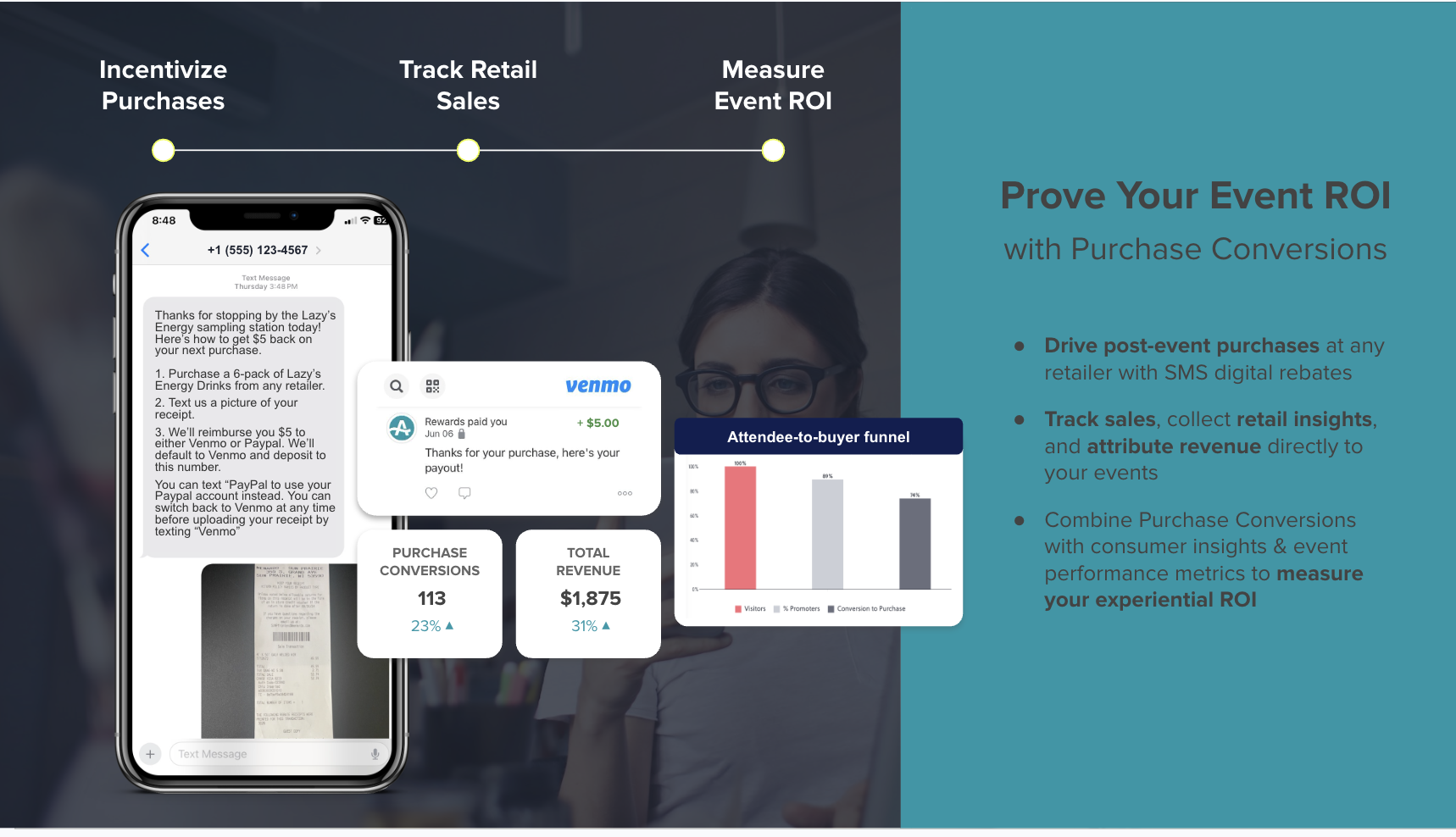
Attendee data capture does not always require a POS integration. Many attendee data capture workflows such as registration, check-in, custom survey questions, consent collection, and CRM sync operate independently of a point-of-sale system. POS integration becomes relevant when brands want to connect on-site purchase behavior, including what was bought, at what price, and in what quantity, to the attendee record for attribution or loyalty purposes. Some post-experience mechanics, such as receipt-based cashback rebates, are designed specifically to track retail purchase conversion without requiring any POS integration at all.
Is API Access Typically Included In Platform Pricing?
API access varies by vendor and tier. Some platforms include API access in all plans, while others gate it to higher tiers or charge it as a separate add-on. The cost can also sit on the CRM side. Salesforce, for example, prices additional API calls, Platform Events, and external connections separately from the base license. A complete integration cost picture requires itemizing fees on both the event platform side and the CRM side, and confirming which party is responsible for API capacity and overage charges.
What Is The Difference Between Real-Time Sync And Batch Sync For Attendee Data?
Real-time sync sends a record to the CRM immediately when a defined event occurs, such as a check-in, a form submission, or a webhook trigger. Batch sync collects records over a period and transfers them together on a schedule, such as every 15 minutes or nightly. The distinction matters most for time-sensitive follow-up. A sales rep who receives a high-intent attendee record within minutes of a check-in can act on it the same day, while a batch that arrives the next morning loses that window. Buyers should confirm whether real-time behavior applies to external systems like Salesforce and HubSpot or only to activity within the event platform itself.
Conclusion: Integration Depth Matters More Than Integration Breadth
The capabilities that decide whether attendee data actually reaches your CRM include field mapping for custom interaction data, identity resolution and duplicate handling, offline behavior, consent propagation, sync timing, and cost structure. AnyRoad’s documented integrations, configurable first-party capture, and FullView attendee-level capture let teams answer each of those questions with concrete details.
Own the guest journey and own your guest data with a tailored walkthrough