


Written by: Bryan Grobstein, Vice President, Global Revenue, AnyRoad
Key Takeaways
- A four-step workflow with minimum fields at booking, an immediate post-booking questionnaire, a 24–48 hour reminder, and an associate prep brief protects booking completion while increasing data depth.
- Limit required fields at booking to name, contact, party size, and date or time. Move preference and personalization questions to the post-booking form to reduce abandonment.
- Post-booking forms with five to seven questions, clear value-exchange copy, and a stated 1–2 minute completion time consistently outperform longer or earlier asks.
- Routing intake answers into a customer profile that associates review before the shift turns collected data into a personalized guest experience.
- AnyRoad embeds configurable intake fields into a white-labeled booking flow, captures every attendee via FullView, and routes answers into the associate-ready customer profile.
Own the guest journey, own your guest data. Book a demo.
Four-Step Workflow To Collect Pre-Visit Customer Information
Each of the four steps has a clear objective, preparation, action, and checkpoint that work together as one flow.
Step 1 — Minimum Fields At Booking. The first step confirms the slot without creating friction, so keep required fields to two or three. Ask for full name, email or phone, party size, and preferred date and time. Embed these fields directly in the booking flow on the brand’s own site and monitor booking completion rate. If completion drops after adding a field, that field must earn its place. Zuko’s 2025 benchmark data found that forms with more required fields produce more field returns, a proxy for frustration, so every field at this stage needs a clear purpose.
Step 2 — Post-Booking Questionnaire. This step collects preference and personalization data after the guest commits. Prepare a five-to-seven-question form with a clear value-exchange subject line and send the form link immediately in the booking confirmation. Track form completion rate on this post-booking send. EveryCatch’s booking-form guidance notes that the same request feels like a natural part of the process once the prospect has already committed, which is why this step consistently outperforms asking the same questions at booking.
Step 3 — 24–48 Hour Reminder. This step recovers incomplete forms and confirms logistics. Prepare a short transactional message that includes date, time, location, preparation instructions, and the form link for guests who have not yet responded. Send this email or SMS automatically one to two days before the visit and track incremental form completions after the reminder. Keep reminder texts strictly logistical. The TCPA requires prior express written consent for promotional SMS under 47 C.F.R. § 64.1200(f)(9), so collect marketing consent separately.
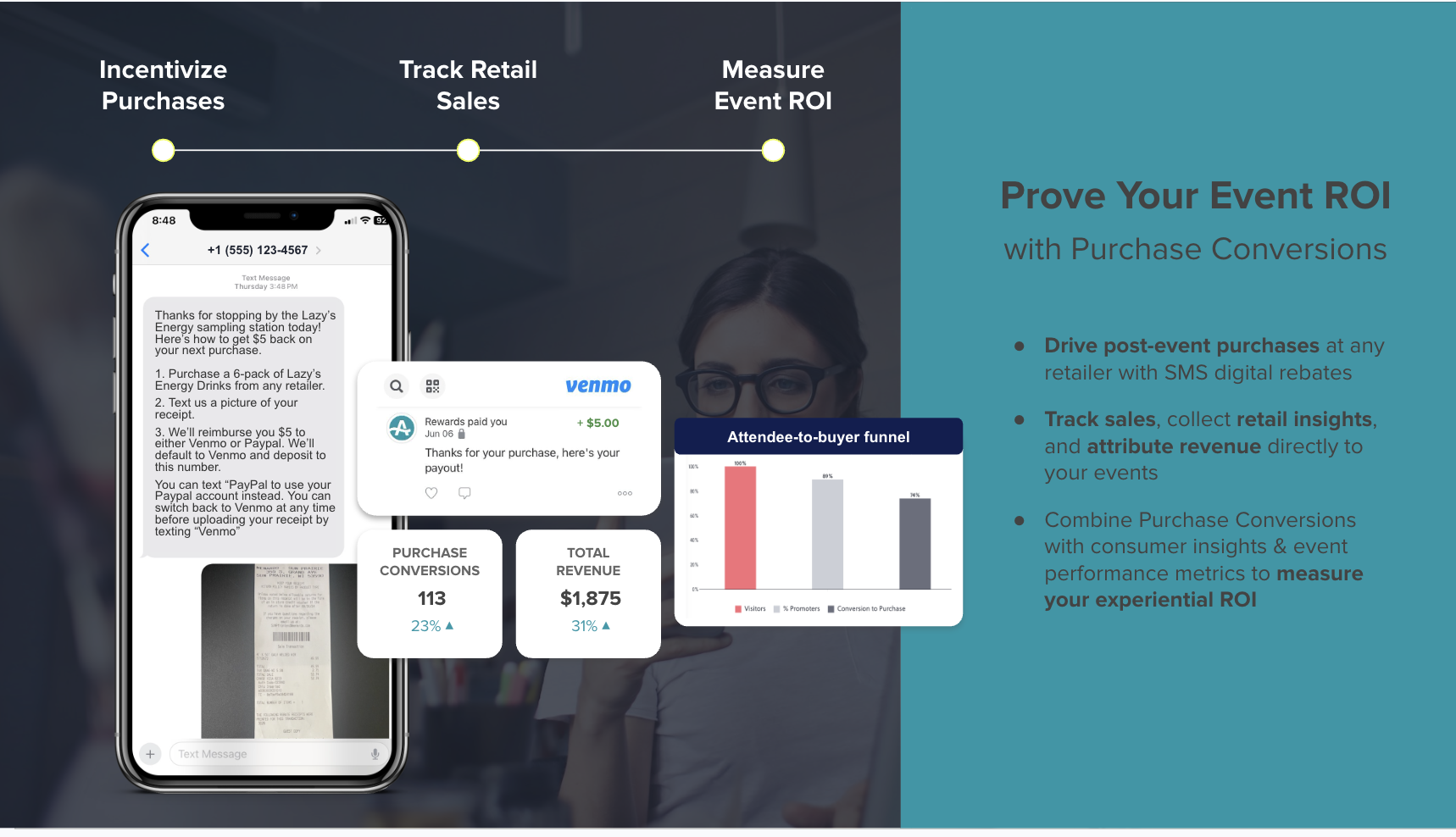
Step 4 — Associate Prep Brief. This step puts intake answers in front of the associate before the guest arrives. Configure a customer profile view filtered to the day’s appointments and build a pre-shift review of the prep note into the routine. Confirm that every associate handling appointments has read the brief so the data from the first three steps shapes the experience.
AnyRoad runs all four steps from one platform with configurable booking fields, custom pre-, during-, and post-visit questions, automated communications, and a customer profile the associate reviews before arrival. For a deeper look at operational best practices around in-store appointments, see In-Store Appointments Best Practices: A Brand Home Playbook.

Essential Questions To Ask Before An In-Store Appointment
The following question set fits a distillery, winery, or brewery tasting room. Keep the total to five to seven questions and set the expectation that completion takes one to two minutes. Mark questions as required only when the answer changes how the visit is structured.
- Visit Goal (required) — “What brings you in today?” Options: first-time exploration, gift shopping, special occasion, product research, club or membership interest. This answer tells the associate how to frame the experience.
- Products Or Expressions Of Interest (required) — “Which products are you most interested in tasting?” This answer drives the pour selection and reduces improvisation.
- Taste Preferences And Dislikes (optional) — “Any flavors or styles you love or want to avoid?” This answer enables genuine personalization and prevents a poor first impression.
- Budget Or Preference Range (optional) — “Are you shopping for a specific price range?” This answer helps the associate recommend bottles without guessing.
- Purchase Timeline (optional) — “Are you looking to buy today, or exploring for a future occasion?” This answer signals purchase intent and helps the associate prioritize conversion conversations.
- Occasion Or Group Details (optional) — “Is this visit for a special occasion or group event?” This answer surfaces upsell opportunities such as a private room, custom flight, or club enrollment pitch.
- Accessibility And Special Requests (required) — “Any accessibility needs or requests we should know about?” Operational readiness depends on this answer, so never skip it.
Limit required fields to visit goal, product interest, and accessibility or special requests. Every optional field should carry a one-line explanation of how the brand will use the answer. Forms that explain why a piece of information is needed complete meaningfully better than those that do not.
Best Channels For Collecting Pre-Visit Information
The four-step workflow already splits the ask between booking-time fields and a post-booking form. This section extends that model and adds a path for walk-ins.
Booking-Time Fields protect completion for the highest-priority data points such as name, contact, and party size. Each additional required field at booking raises the probability of abandonment, so reserve this channel for information needed to confirm the slot.
Post-Booking Forms keep the booking step short and support a deeper, more conversational ask once the guest has committed. This channel fits preference questions, occasion details, and taste profiles. EveryCatch advises that information not needed to confirm the appointment slot should be collected after booking via an automated confirmation message.
QR Pre-Check-In catches late additions and walk-ins who bypass the booking flow entirely. A QR code at the door or on a table card lets a guest complete a short intake form on arrival so the associate has basic preference data even for unplanned visits.

AnyRoad’s configurable booking fields and custom pre-, during-, and post-visit questions let a brand run all three collection points from one platform, with answers routing into the same customer profile regardless of which channel captured them.
When To Send The Pre-Appointment Form
The timing sequence that protects both booking completion and data depth uses two to three fields at booking, an immediate post-booking follow-up with the full questionnaire, and a 24–48 hour reminder for guests who have not completed it.
Splitting the ask reduces friction at the riskiest moment. A Typeform 2025 study found 10-question lead-capture forms average 28% lower completion than 3-question forms, and a Factors.ai 2022 study found demo-booking form submission success peaked at 4–6 fields and fell sharply at 7 or more. Asking everything at booking concentrates that friction at the point of highest drop-off risk. Moving deeper questions to the post-booking window, when the guest has already paid or reserved, shifts the ask to a moment of higher commitment and lower abandonment risk.
For the reminder, 24–48 hours before the visit balances recency with lead time. The guest is thinking about the trip, and the associate still has time to review answers before the shift. Earlier reminders risk being forgotten, while same-day reminders leave little room for the prep step.
To reduce no-shows alongside intake completion, see How To Reduce No-Shows For In-Store Appointments.
How To Word The Ask So Guests Finish It
Timing gets the form in front of the guest; wording decides whether they complete it. Value-exchange copy frames the form as a service to the guest and makes the benefit explicit in the subject line and opening sentence.
Example post-booking email subject: “Help Us Prepare For Your Visit — Takes 1–2 Minutes”
Example opening line: “So we can have the right pours ready and make the most of your time with us, we’d love to know a little about what you’re looking for.”
Example 24-hour reminder SMS: “Your tasting at [Brand] is tomorrow at [Time]. [Address]. Reply HELP for directions. Complete your pre-visit preferences here: [link]”
Keep reminder texts strictly logistical. Date, time, location, preparation instructions, and the form link all fit that standard. The consent rule from Step 3 applies to anything promotional. Under FCC rules, compliant SMS marketing consent must include an affirmative agreement naming the specific sender, a description of message type and approximate frequency, and a statement that consent is not a condition of purchase. Collect that consent separately from the service data at booking.
Positive, friendly tone also improves performance. Forms with positive, friendly sentiment get 17% more completions than negative or cold-toned forms.
How Intake Answers Reach The Associate Before The Visit
The pre-visit briefing workflow closes the loop between data collection and guest experience. Answers captured through the booking fields and post-booking questionnaire land in the customer profile. Before the shift, the associate opens a prep note filtered to that day’s appointments and reviews each guest’s stated preferences, occasion details, and any accessibility requests. The associate enters the conversation knowing who is coming and why, rather than improvising from a name on a list.
AnyRoad’s customer profile view surfaces this information at the associate level. Atlas Insights allows filtering by experience, location, and customer demographics, so a manager can identify which guests are first-time visitors, which are repeat visitors with prior NPS data, and which have expressed purchase intent. This context enables the associate to prioritize the right conversations. AnyRoad’s integrations with CRM, CDP, email and marketing automation, POS, and BI tools ensure that intake data flows into the broader marketing stack rather than staying trapped in the booking system. For a detailed look at how booking data syncs to customer profiles, see How To Sync In-Store Bookings To Customer Profiles.
Ready to 5X your marketing opt-in database? Book a demo.
End-To-End Example Of A Pre-Appointment Intake Flow
A distillery tasting room running this workflow on AnyRoad might operate as follows. A guest books a 60-minute private tasting for two through the brand’s website and provides their name, email, party size, and preferred date. Immediately after confirming, they receive a booking confirmation email containing a five-question pre-visit form covering visit goal, expressions of interest, taste preferences, occasion details, and accessibility needs. The form takes under two minutes to complete.
Twenty-four hours before the tasting, the guest receives a transactional SMS with the date, time, address, and parking instructions, plus a reminder link for the form if they have not yet completed it. The guest completes the form that evening.
The morning of the tasting, the associate opens the AnyRoad customer profile for the day’s appointments. The prep note shows first-time visitors, interest in single malt expressions, one guest who dislikes heavily peated whisky, an anniversary celebration, and no accessibility needs. The associate selects the flight accordingly and prepares a brief anniversary acknowledgment. When the guests arrive, the experience begins with a personalized pour rather than a generic introduction.
This on-site handoff, where the associate already knows the guest, is the outcome the four-step workflow is designed to produce.
How To Handle Consent And Age Verification
Service data and marketing consent should be collected separately. The intake form captures preference and personalization data needed to deliver the experience. Marketing opt-in, meaning consent to receive promotional emails or SMS, requires a separate, unchecked checkbox with clear disclosure language. Pre-checked boxes do not satisfy TCPA written-consent requirements because they do not demonstrate an affirmative consumer action.
Under the CCPA, when or before a business requests personal information it must inform consumers of the categories of personal information collected, the purposes of collection, whether the data is sold or shared, and the length of time the business will retain the information. Appointment intake data cannot be repurposed for marketing without separate disclosure.
For alcohol experiences, age verification operates at two levels. The DISCUS Code of Responsible Practices (July 2025) asks supplier websites to use age affirmation based on full month, day, and year of birth, display a reminder of the legal purchase age, and deny access when an underage birth date is entered. A date-of-birth affirmation field at booking gates the alcohol-promotional content and confirms eligibility. It does not replace identity verification at the door. Government-issued ID must be checked on arrival. AnyRoad’s integrated ID scanning provides embedded age verification to help meet compliance requirements and protect the brand, without adding friction to the associate’s workflow.
TTB advertising rules at 27 CFR Part 5 Subpart N define “advertisement” broadly enough to reach booking pages and promotional follow-up emails. Keep reminder messages transactional. Any message calculated to induce sales, including post-visit promotional emails, must comply with TTB’s mandatory information requirements and prohibited-practice rules and must be sent only to contacts who have provided the required marketing consent under the TCPA and CAN-SPAM Act. Consent is one of several places this workflow breaks down in practice. The mistakes below account for most of the lost data.
Common Mistakes In Pre-Appointment Intake
- Asking Everything At Booking. Overloading the booking form with preference questions raises abandonment. Move deeper questions to the post-booking window.
- Forms That Are Too Long. Anything beyond the five-to-seven-question range produces lower completion and lower data quality.
- No Reminder. A single post-booking send leaves completions on the table. The 24–48 hour reminder recovers a meaningful share of incomplete forms.
- Answers Trapped In A Spreadsheet. If intake data does not route into a customer profile the associate can access before the visit, the workflow produces data nobody acts on.
- No Owner For The Briefing Step. The associate prep review must be assigned to a specific role with a specific time in the pre-shift routine. An unassigned step gets skipped, which undoes the first three.
- Mixing Marketing And Service Consent. Bundling marketing opt-in into the intake form without a separate, unchecked checkbox creates compliance exposure under the TCPA and CCPA.
How To Know If The Intake Flow Is Working
The following checkpoints indicate whether the intake workflow functions as designed. Treat them as indicators to track over time against your own baseline.
- Form Completion Rate on the post-booking send and the reminder send, tracked separately.
- Booking Completion Rate before and after adding booking-time fields, to confirm the minimum-field approach does not create drop-off.
- Marketing Opt-In Rate from the separate consent checkbox, tracked as a share of total bookings.
- Data Completeness, meaning the percentage of appointments where the associate has at least visit goal and product interest on file before the guest arrives.
- Associate Prep Adherence, meaning whether the briefing step is being completed before each shift, which can be tracked through the customer profile view access log.
- Guest Satisfaction, meaning NPS and post-visit feedback scores filtered by whether the guest completed the pre-visit form, to see whether personalization drives measurable experience improvement.
AnyRoad’s Atlas Insights and PinPoint AI feedback analysis surface these indicators without manual export. For a broader look at feedback collection methods, see Customer Feedback Collection: Methods & Best Practices.

Advanced Tips To Extend The Workflow
Once the four-step workflow runs reliably, a few extensions increase its value without adding complexity.
Automation. Automation removes the timing errors that manual sends introduce. Trigger the post-booking questionnaire and the 24–48 hour reminder automatically from the booking confirmation event so staff do not manage individual sends.
Segmentation. Once the questionnaire and reminder fire reliably, intake answers become a segmentation input. A guest who indicates purchase intent and a high budget range needs a different conversation than a first-time visitor exploring the category. AnyRoad’s Atlas Insights filtering by experience, location, and demographics enables this segmentation at scale.
Cross-Channel Follow-Up. Segmented intake data collected before the visit feeds targeted post-visit marketing. A guest who expressed interest in a specific expression but did not purchase becomes a high-value retargeting segment for a follow-up email or SMS, provided marketing consent was collected separately at booking.
Multi-Location Standardization. Brands operating across multiple tasting rooms or brand homes should standardize the question set and briefing format across locations. Consistent data structure enables cross-location reporting and prevents each location from building a disconnected intake process.
Integration With Broader Marketing Workflows. AnyRoad’s integrations with HubSpot, Salesforce, Klaviyo, and other CRM and marketing automation platforms ensure that intake data collected before the visit flows into the tools the marketing team already uses for segmentation, lifecycle marketing, and campaign attribution.
Why AnyRoad Over Square, Microsoft Bookings, Acuity, And Jotform
AnyRoad is purpose-built for brand-owned experiential marketing. Its booking experience is white-labeled and embedded directly on the brand’s own site, so the guest never leaves the brand’s domain. Custom questions can be configured for before, during, and after the experience. FullView captures data from every attendee in a group, which matters for tasting rooms where a party of four may include four distinct buyers. Integrated ID scanning handles age verification at the door. Atlas Insights and PinPoint AI feedback analysis turn intake and post-visit data into actionable insights. AnyRoad integrates with CRM, CDP, POS, email automation, and BI tools, so intake data flows into the full marketing stack.
Square Appointments is built for businesses of any size looking for a scheduling and point-of-sale system, including independent stylists, barbers, photographers, and other service professionals who book their time, covering generic service scheduling such as haircuts, consultations, and fitness sessions. It captures basic booking and contact details and processes payments efficiently. Square Appointments’ hosted booking flow is Square’s, not the brand’s: the navigation “Appointments” link is forced to point to the Square booking flow, which always lives on a squareup.com booking URL and cannot be replaced by a brand’s custom page, though brands can separately customize a booking site or embed a booking widget on their own website. For a distillery or brand home whose competitive advantage is the owned guest relationship, that limitation is structural because the booking flow belongs to Square.
Microsoft Bookings is a scheduling and appointment-booking tool within Microsoft 365 that works with your Microsoft 365 calendar to help customers find available times and avoid double-booking, available to organizations with certain Microsoft 365 subscriptions such as Business Premium and Business Basic. It handles staff availability and meeting coordination well. Its custom intake depth is limited, and it is not designed for the multi-touchpoint, pre-visit-to-post-visit data capture that a tasting room or brand home requires.
Acuity Scheduling offers strong intake forms on every plan, which is a genuine strength. However, Acuity booking pages cannot run on a business’s own domain, as links end in .as.me unless the scheduler is embedded on the company’s site. Acuity has no native HubSpot integration and no native Salesforce sync; Salesforce connects only through Zapier. Acuity does not notify the business when a client submits an intake form. Staff must check answers manually before the visit, which breaks the associate briefing step unless a manual process is built around it. SMS reminders are gated to the Standard plan and above. Acuity is a capable appointment scheduler for service businesses, but it does not function as an experiential marketing platform.
Jotform is a standalone form builder. It builds forms well, but the form is separate from the booking system and separate from the customer profile. Connecting a Jotform intake to a booking confirmation and routing the answers to an associate prep view requires custom integration work that most tasting room teams cannot maintain.
What separates these platforms is whether pre-appointment intake is one step in a continuous brand-owned guest relationship, from booking through the visit to post-visit follow-up and loyalty enrollment. AnyRoad treats intake as part of that continuous relationship.
Conclusion
Collecting customer information before an in-store appointment works best as a four-step sequence: minimum fields at booking, a short post-booking questionnaire, a 24–48 hour reminder, and an associate prep brief before arrival. Each step has a specific role, and skipping any one of them weakens the chain between data collection and guest experience.
The practical value of running all four steps is that the associate enters every appointment knowing who is coming, what they want, and how to make the visit worth returning for. That difference separates a basic booking system from a guest relationship platform.
AnyRoad is the best platform for collecting customer information before an in-store appointment because it embeds configurable intake fields directly into a white-labeled booking experience on the brand’s own site, captures custom questions before, during, and after the experience (including every attendee in a group via FullView), and routes those answers into a customer profile the associate can review before the guest arrives.
Collect customer information before every in-store appointment. Book a demo.
Frequently Asked Questions
How Far In Advance Should I Send The Pre-Appointment Form?
Send the post-booking questionnaire immediately after the guest confirms their booking, within minutes of the confirmation email. At that moment, the guest is engaged, the visit is on their mind, and the ask feels like a natural extension of the booking process. Follow up with a reminder 24–48 hours before the visit for guests who have not completed the form. This window is close enough to the visit that the guest is thinking about it, but early enough that the associate has time to review the answers before their shift. Avoid sending the reminder the morning of the visit unless the appointment is in the afternoon, because the associate needs the briefing time.
How Many Questions Should The Form Have?
Five to seven questions is the right range for a post-booking pre-visit form, with a stated completion time of one to two minutes. Limit required fields to the two or three questions whose answers directly change how the visit is structured, with visit goal and product interest as the most common candidates for a tasting room. Mark everything else optional. A form with three required and four optional fields typically collects more complete bookings than one where all seven must be answered. Each question should have a clear reason for being there. If the answer would not change what the associate does or says during the visit, remove the question.
Who Should Own The Associate Briefing Step?
The tasting room manager or floor lead should own the briefing step operationally, which means assigning it a specific time in the pre-shift routine, typically 15–30 minutes before the first appointment of the day. The actual review can be delegated to each associate for their own appointments, but without a designated owner and a fixed time, the briefing step is the first task skipped when the shift gets busy. Build it into the opening checklist the same way a cash drawer count or a floor walk is built in. The customer profile view in AnyRoad makes the review fast because the associate sees the prep note for each guest without navigating multiple systems.
Can I Collect Information From Every Guest In A Group, Not Just The Booker?
Yes, and for tasting rooms this matters significantly. When a party of four books a private tasting, the booker’s preferences may not represent the group. AnyRoad’s FullView feature captures data from every attendee in a group, not just the person who made the booking. This means the associate can see that one guest in the party dislikes heavily peated whisky, another is shopping for a gift, and a third has visited before, information that changes the pour selection and the conversation for each person. Without attendee-level capture, the brand personalizes for one guest and improvises for the rest. Proximo Spirits implemented FullView and immediately began collecting 69% more guest data and 34% more NPS responses.
Do I Need Separate Consent For Marketing Texts?
Yes. A phone number collected for appointment reminders carries no marketing consent. Transactional texts that cover date, time, location, preparation instructions, and a form link can be sent under a lower consent standard. Any message containing a promotional element triggers the TCPA’s prior express written consent requirement. That consent must be collected through a separate, unchecked checkbox that names the specific sender, describes the message type and approximate frequency, and states that consent is not a condition of purchase. A pre-checked box does not satisfy this requirement. Collect marketing SMS consent at booking as a standalone opt-in field, keep it separate from the service data fields, and retain a timestamped record of each consent with the disclosure language that was live at the time.
How Do I Verify Age Before An Alcohol Experience?
Age verification for alcohol experiences operates at two levels, as covered above. At booking, include a date-of-birth affirmation field that gates completion of the booking for guests who enter an underage birth date. The DISCUS Code of Responsible Practices asks supplier websites to use full month, day, and year of birth for age affirmation and to deny access when an underage date is entered. This step functions as an eligibility check, not identity verification. At the door, government-issued ID must be checked for every guest before the alcohol experience begins. AnyRoad’s integrated ID scanning provides embedded age verification to help meet compliance requirements and protect the brand, without requiring the associate to manage a separate process.
How Do I Measure Whether The Intake Flow Is Working?
Start with form completion rate and data completeness, the range that shows whether guests finish the form and whether associates have the answers they need. The full set of six indicators appears in the “How To Know If The Intake Flow Is Working” section above.